
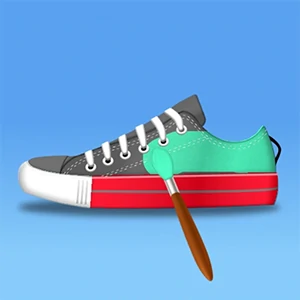
About This Game
Shoes Diy is a GIRL game that runs right in your browser. No need to download anything or have a powerful computer — just open and play.
Become a PRO sneaker artist! Grab your paint brush and design DIY custom sneakers in art games. Show your coloring games skills, paint shoes to create artistic designs in DIY Games. Make Custom designs, place the sneaker art on display and sell them in your sneaker shop!nFun and addictive design games, work as a sneaker artist, and show your hidden art skills! Start with painting the sneaker just like coloring games and create the perfect design. Do a DIY custom paint job, create unique designs in sneaker art games. Match the design perfectly, or make your own in shoes games!nMake DIY custom shoe designs using different brushes and color in art games. Next step is to lace up, Choose from dozens of laces in a sneaker shop. Pack your designed sneakers in a box and put them on display in shoes games.
Shoes Diy doesn't ask for your money or your hard drive space. What you see is what you get — pure gameplay. Easy to start, tough to walk away from. Players from all over jump in, share their tricks, and keep things lively.
Every time you play Shoes Diy, it's a little different. The situations change, the choices you make actually matter, and no two sessions feel the same. The more rounds you run, the more you'll pick up. Plus it loads fast, runs smooth, and works just fine even on older or cheaper devices.
How To Play
You can play on anything — laptop, phone, tablet, whatever. Use a mouse on desktop, or just tap and swipe on touchscreens. Give it a minute and it'll feel completely natural.
Quick Start Guide
To start playing
Shoes Diy , just hit the play button up above. That's it — no sign-up, no install.
The game
works on any modern browser and will automatically fit your screen size.
Controls:
- Mouse / Touch: Click or tap anywhere to interact with the game.
- Keyboard: Use arrow keys, spacebar, or WASD if the game supports it.
- Mobile: Swipe, tap, or hold on the screen to play.
Tips to get better:
You don't have to figure everything out in the first five minutes. Take your time, try things out,
and see what
works. The game gives you visual and sound feedback — pay attention to that and you'll catch on
fast. Above all,
just have fun with it.
Something not working?
Make sure JavaScript is turned on and your browser supports HTML5. On mobile, a Wi-Fi connection
works best. If
something looks weird, try refreshing the page — that usually does the trick.
Related games
Spiral Stairs

Construct A Bridge
JewelsBlocksPuzzle
Save The Sheep
Scratch Match Animal
Drone Pickup Service

Mini Golf Adventure
Draw Pop

City Blocks

Fancy Match

Monkey Bounce
Cubito

Rope Rescue Puzzle
Real Animal Merge 3D
Tiny Town Racing

Truck Simulator

Hair Stack 3D

Santa Ski Xmas
Bubble Shooter Classic
Tangle Fun 3D

Wheely2

Smurfs_Ocean_Cleanup

3Pandas

Land Invader