
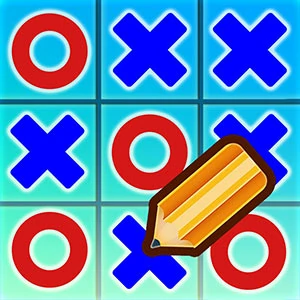
About This Game
Tic Tac Toe Multiplayer is a ACTION game that runs right in your browser. No need to download anything or have a powerful computer — just open and play.
nUltimate Tic Tac Toe is a HTML Board Game Enjoy this nice version of the classic Tic Tac Toe Game Games Mode Multiplayer mode Play against the pc Challenge a friend playing on the same device.nnYou may have played many Tic-Tac-Toe game until now. But, probably, you haven't played such a entertaining Tic-Tac-Toe game which you will play soon. If you wonder why is that, keep reading, here is few info about this Tic-Tac-Toe game. There is a game that you will play like you are playing in real world, waiting for you. Game sounds and effects make this game superior. If you are ready, let's begin!nn2 player game in which the objective is to take turns and mark the correct spaces, play against computer or against a friend. Challenge yourself from a traditional 3 X 3 grid, or custom board size from 5×5 to 8×8
Tic Tac Toe Multiplayer doesn't ask for your money or your hard drive space. What you see is what you get — pure gameplay. Easy to start, tough to walk away from. Players from all over jump in, share their tricks, and keep things lively.
Every time you play Tic Tac Toe Multiplayer, it's a little different. The situations change, the choices you make actually matter, and no two sessions feel the same. The more rounds you run, the more you'll pick up. Plus it loads fast, runs smooth, and works just fine even on older or cheaper devices.
How To Play
You can play on anything — laptop, phone, tablet, whatever. Use a mouse on desktop, or just tap and swipe on touchscreens. Give it a minute and it'll feel completely natural.
Quick Start Guide
To start playing
Tic Tac Toe Multiplayer , just hit the play button up above. That's it — no sign-up, no install.
The game
works on any modern browser and will automatically fit your screen size.
Controls:
- Mouse / Touch: Click or tap anywhere to interact with the game.
- Keyboard: Use arrow keys, spacebar, or WASD if the game supports it.
- Mobile: Swipe, tap, or hold on the screen to play.
Tips to get better:
You don't have to figure everything out in the first five minutes. Take your time, try things out,
and see what
works. The game gives you visual and sound feedback — pay attention to that and you'll catch on
fast. Above all,
just have fun with it.
Something not working?
Make sure JavaScript is turned on and your browser supports HTML5. On mobile, a Wi-Fi connection
works best. If
something looks weird, try refreshing the page — that usually does the trick.
Related games
Giant Rabbit Run

Duck Carnival Shoot

Megacity Hop

Sky Castle

Echo Simon

Mini Golf Adventure

Wilderness Racing
Stumble Guys

Cat Rolling
Pick Me Home

Draw Defense

Stickman Spider Man Hook
Tap Unlock

Shipborne Aircraft Combat Simulator

Assassin Creed
Territory War

Slidey Block
Fold Paper
Adventure Drivers

Fashion Nail Art

Climber Jump
Stealth Killer

School Love
Dance Master Mat